














A Cross-Border Work Trip Needs a Device Plan
The laptop carries the presentation. The phone receives sign-in prompts. A tablet holds the agenda. A business traveller may need all three, yet prepare only the laptop because that is where the visible work happens.
The weak point appears when a supporting device is unavailable. A working laptop is less useful if the account requires a prompt on a phone that has no service. Planning by task, rather than by the device with the largest screen, makes those dependencies easier to spot before departure.
Follow one meeting from start to finish
Choose a real task on the itinerary and trace what it requires. To join a client meeting, you might need the invitation, a communication app, access to a presentation and a second factor for sign-in. Identify which device performs each part.
Then ask what happens if one device cannot connect. Is the meeting address available offline? Can you open an approved local copy of the presentation? Does the organisation provide a recovery method if the usual authentication device is lost?
Use the company’s approved recovery arrangement. Avoid removing security controls merely to simplify travel. A backup should preserve access in an expected failure scenario without giving someone else an easy route into the account.
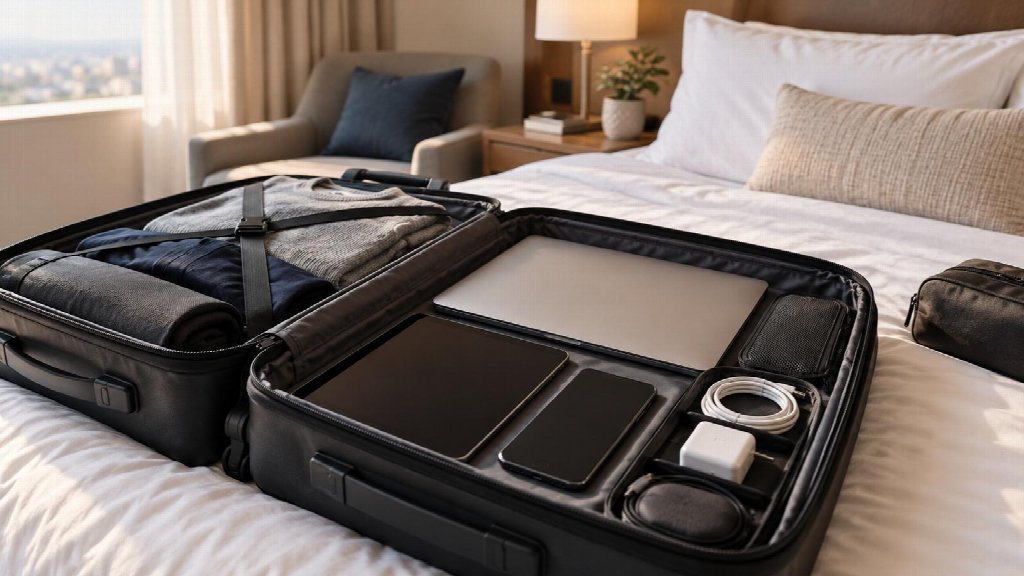
The exercise can reveal that a tablet adds little value, or that the phone needs more preparation than the laptop. Carrying fewer devices may reduce the number of things to charge, supervise and recover. The right choice depends on the work, not on filling every slot in a travel bag.
Prepare connections on the device that needs them
A tool installed on one device should not be assumed to cover the others. The phone and laptop may use different connections, applications and settings, even when they are beside each other on the same desk.
If an approved connection-privacy tool is part of the plan, obtain the VPN download for each supported device that needs its own client. Check installation and sign-in before departure, while normal support and recovery options are available.
Test the applications used for the trip rather than stopping at a successful installation message. Open the meeting service and the relevant work account through the permitted arrangement. Keep the test within the organisation’s policy; a consumer service does not replace an employer’s private remote-access system.
Record any dependency that remains. If a particular task requires the phone’s mobile service, say so. If the laptop can use an approved offline file, prepare that file. “Everything is installed” is too broad to tell a traveller what will work when a connection changes.
Review the information travelling with you
Official Canadian guidance on device security abroad recommends considering the information carried on a device and the risks associated with travel. The practical question for a business trip is which material is needed for the planned work.
A full archive of customer records may be convenient, but it creates a larger recovery problem if the device disappears. Use the organisation’s approved method to limit local material, and know how access can be revoked if necessary.
Screen privacy deserves its own attention. A VPN can affect the network route of covered traffic; it does not stop a nearby passenger from reading a document on the display. Choose the workspace according to the sensitivity of the task, and lock the device when stepping away.
For regional travel, check the current destination requirements and the company’s rules for devices and services. Conditions differ between countries and can change. A connection arrangement used on one trip should not automatically be carried into every other destination.
Keep the fallback small enough to use
An elaborate contingency plan is difficult to follow while a meeting is starting. Keep the essential fallback information together in an approved, accessible place: the meeting details, a support contact and the permitted next step if normal access fails.
For example, if a presentation cannot be opened, the fallback might be an approved local copy. If an account cannot be accessed, the next step might be contacting support from the phone. Treat these as separate failures with separate responses rather than one instruction to find another network.
Check charging arrangements too. The device that receives authentication prompts needs power even when it is not being used to write or present. Prepare compatible chargers and the accessories required for the actual meeting setup.
The result should be a clear picture of what each device contributes, what it depends on and what to do when that dependency fails. That is a more useful preparation standard than counting the apps installed before leaving.